Guide
Vaporizer Blinking Lights and Error Codes: What They Mean and How to Fix Them
26 August 2026 • 14 min read (Updated 9 September 2026)
Most vaporizer blinking lights and error codes point to a fixable cause. Verified meanings and fixes for Storz and Bickel, PAX, Arizer, DaVinci and XMAX, by brand.
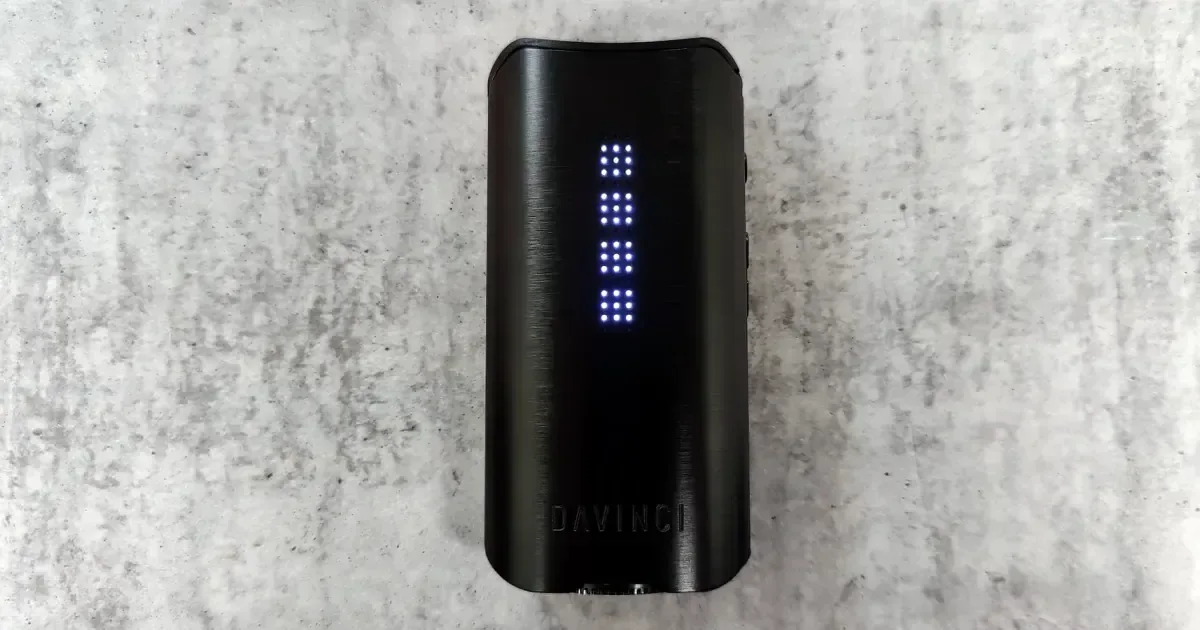
A blinking light or an error code on a dry herb vaporizer usually means one of four things: the battery is too hot or too cold, the cable or charger is wrong, the battery is flat, or the device has a genuine fault that needs a warranty claim. Only the last one needs a repair. This page collects the signal meanings each manufacturer actually publishes, brand by brand, with the fix and whether it is a warranty case. Every entry below was checked against the maker's own support pages or manual, and where a brand publishes nothing, we say so instead of guessing.
Contents12 sections
- How to Read a Vaporizer Light or Error Code
- Storz and Bickel Crafty+ Blinking Light Meanings
- Mighty+ and Venty Error Codes (E01 to E05)
- Volcano Hybrid and VEAZY Error Signals
- PAX 3 and PAX Plus Light Colors
- Arizer Solo 2 and Air SE Lights
- DaVinci IQ3 Lights and Reset
- XMAX Blinking Lights
- Universal Troubleshooting Steps for Any Vaporizer
- When a Blinking Light Means a Warranty Claim
- Frequently Asked Questions
- The Bottom Line
How to Read a Vaporizer Light or Error Code
Jump to your brand: Crafty+, Mighty+ and Venty, Volcano Hybrid and VEAZY, PAX, Arizer, DaVinci, XMAX, then the universal steps.
The general rule: a steady light is a status (heating, ready, charged), while an alternating two-color blink or an on-screen "E" code is a warning. The specifics are not interchangeable between brands, so a blue blink on a PAX means something different from a blue blink on a Crafty+.
| Brand | How it signals | Official reference | Publishes a code chart? |
|---|---|---|---|
| Storz and Bickel | LED colors (Crafty+, VEAZY), E-codes (Mighty+, Venty), ERR codes (Volcano Hybrid) | support.storz-bickel.com | Yes |
| PAX | Four LED petals, colors and blink patterns | pax.com help pages and PAX 3 user guide | Yes, across several pages |
| Arizer | OLED readout (Solo 2), two LEDs (Air SE) | arizer.com/support | Air SE only; no error codes |
| DaVinci | Dot-matrix display, control button flashes | IQ3 owner's manual | No error codes |
| XMAX | Single LED (V3 Nano), OLED (V3 Pro) | Printed manuals | V3 Nano only |
Storz and Bickel Crafty+ Blinking Light Meanings
The Crafty+ has no screen, so every state is a color. Storz and Bickel's Crafty+ operation article and charging article define them as follows.
| Signal | Meaning | Fix | Warranty? |
|---|---|---|---|
| Steady red | Heating to base temperature | Wait for the double vibration | No |
| Steady green | Base temperature reached | Normal | No |
| Flashing red, then flashing green | Booster heating, then booster reached (after a double-click) | Normal | No |
| Green, red, blue flash plus a vibration when plugged in | Functional check, charging has started | Normal | No |
| Blue, steady | Fully charged | Normal | No |
| Blue, flashing | Charge level: slow flash 61 to 96 percent, rapid flash 31 to 60 percent, plain flash 30 percent or less | Charge it | No |
| Red and blue alternating | Battery temperature too high or too low | Let it cool down or warm up to room temperature | Only if it persists at room temperature |
| Red and green alternating | USB-C cable or adapter unsuitable | Use the original S&B cable and a proper adapter | No |
| Red and orange alternating | Device error | Switch off, unplug, contact S&B service. Do not open it | Yes |
| Red, green, blue running lights plus vibration | Reset confirmed | Normal | No |
To reset a Crafty+, hold the power button for 10 seconds while it is switched on. The running-light sequence and a vibration confirm it. The Crafty+ cannot be used while plugged in; S&B says it only switches on again once charging has finished, so a "dead" Crafty+ on a cable is usually just a Crafty+ doing its job.
Mighty+ and Venty Error Codes (E01 to E05)
The Mighty+ and Venty share one code table on Storz and Bickel's official error code page. The Mighty+ shows "ERR 00x" and the Venty shows "e0x", but the meanings are identical.
| Code | Meaning | Fix | Warranty? |
|---|---|---|---|
| E01 / ERR 001 | Battery temperature too high | Allow the device to cool | Only if it recurs at room temperature |
| E02 / ERR 002 | Battery temperature too low | Move to a warmer room. S&B says not to use external heat sources | No |
| E03 / ERR 003 | Incompatible power adapter or USB-C cable | Use only original S&B accessories and adapters | No |
| E04 / ERR 004 | Vaporizer is faulty | Switch off immediately, pull the plug, contact the Service Center. S&B says do not attempt self-repair | Yes |
| E05 / ERR 005 | You exhaled into the vaporizer | Avoid blowing into the device | No |
| bl | Firmware could not be verified | Run the firmware update through the web app. If it fails repeatedly, contact S&B | Possibly |
Display behaviors that are not errors: on the Mighty+, a slowly flashing battery frame means almost empty, and "dct" on the second line for three seconds after plugging in means pass-through charging is active with a compatible Supercharger. On the Venty, the six charge bars flash in an ascending sequence while charging, and the flash speed tells you what the charger is delivering (quick with the S&B Supercharger, moderate with a standard USB-C quick charger, slow with a low-power one). The Venty has no pass-through charging because it draws more than 100W in use, so it does not run on the cable. To reset a Venty, hold the power button for 10 seconds; a vibration and a reset animation confirm it, and all settings return to factory defaults.
E04 is the code owners search for most, and retailers have written at length about early Venty units throwing it. The official guidance is blunt: E04 means the device has declared itself faulty, and the answer is an RMA, not a workaround.
Volcano Hybrid and VEAZY Error Signals
The same S&B page covers the Volcano Hybrid. Its display shows "ERR" plus a number and a letter: "r" means perform a reset, "n" means service is required. 01r is an internal communication error (restart), 02r means the device is outside its temperature range or has overheated (switch off, unplug, leave it 30 minutes at room temperature), 03r means it is running on the wrong voltage for its 115V or 230V version, and 04n means the device is defective and needs an RMA. "BL 000" is a firmware error that requires an update through the app.
The VEAZY uses two LEDs, per S&B's LED display options article. A steady red lower LED with a white and blue blinking upper LED means too hot; the reverse arrangement means too cold; steady red below with white and red blinking above means an unsuitable charger or cable; both LEDs steady white means the device is faulty (switch off, unplug, contact service); and steady red below with steady white above means a firmware update failed and should be retried.
S&B's warranty is a statutory two years, plus one extra year on the Mighty+, Venty, Volcano Classic and Volcano Hybrid if you register within four weeks of purchase (with some country exceptions). Exposure to moisture is not covered, and opening the device voids the claim.
PAX 3 and PAX Plus Light Colors
The PAX 3 speaks entirely in its four LED petals, and PAX documents the language in its PAX 3 user guide. We have owned and reviewed the PAX 3, and the battery-check-by-shake described below is exactly how it behaves in the hand.
| Signal | Meaning | Fix | Warranty? |
|---|---|---|---|
| Purple, pulsing | Heating | Wait; it turns green when ready | No |
| Green (pulses as you draw) | At temperature and in use | Normal | No |
| One green, two yellow, three orange, four red petals | Temperature setting: 360F/180C, 380F/193C, 400F/204C, 420F/215C | Normal | No |
| All four petals blue | Standby (motion sensor sees no movement) | Pick it up or shake it | No |
| White petals | Battery level, 25 percent per petal (shake to check) | Normal | No |
| Upper-left petal blinks red three times | Low battery | Charge it | No |
| White, pulsing on the charger | Charging | Normal | No |
| No lights at all on the charger | Underpowered source or poor contact | Use a source that supplies 1.5A, try a computer USB port, press down on the charging contacts with your thumbs | If it still will not charge |
| Blinking blue, then shuts off | Device or room too cold or too hot | Bring it indoors, leave it at room temperature for an hour, power on (may take two or three tries), then reset | Yes, if it persists after a reset |
Those last two rows come from PAX's help pages on blinking blue LEDs (PAX 3 and PAX Plus) and not lighting up on the charger (PAX 2, PAX 3, PAX Mini and PAX Plus).
The reset is not a long button hold. Per PAX's PAX 3 reset page: turn the device on, long-press the power button to enter the temperature setting, hold it "long ways" with the oven in your right hand and mouthpiece in your left, then rotate it away from you 10 times. Success is five white blinks. The PAX Plus reset is the same with 5 rotations and adds a vibration. Let the device cool first. The PAX 3 carries a 10-year warranty, and claims go through the Warranty tab of a PAX account.
Arizer Solo 2 and Air SE Lights
Arizer is the honest gap on this page. The Arizer Solo 2 has an OLED readout, and Arizer's Solo 2 support page publishes no error codes at all. What it does say is useful: the Solo 2 "will not operate if the battery is completely drained," so a blank screen after a long time in a drawer is a flat battery, not a fault. Five to ten minutes on the charger is enough to use it while it keeps charging. The heating element carries a lifetime warranty, the device two years, and the battery one year. For anything abnormal, Arizer's instruction is to email service@arizer.com with a description, your name and address, the serial number on the base and a copy of the receipt.
The Arizer Air SE is the one Arizer that does communicate in lights, and its support page defines them.
| Signal | Meaning | Fix | Warranty? |
|---|---|---|---|
| Upper LED blinks once for two seconds at startup | Battery level | Normal | No |
| Upper LED blinking blue | Idle, no heat level chosen | Press up or down | No |
| Upper LED solid blue, white, green, orange or red | Level 1 to 5: 180C/356F, 190C/374F, 200C/392F, 205C/401F, 210C/410F | Normal | No |
| Lower LED blinking blue | Heating | Wait | No |
| Lower LED solid blue | At temperature | Normal | No |
| No lights, will not turn on | Battery completely drained, or the two-second power hold was too short | Charge 15 to 20 minutes, then hold the button center for two seconds | No |
DaVinci IQ3 Lights and Reset
DaVinci publishes no error codes for the DaVinci IQ3, and its support page and the official IQ3 owner's manual confirm it. The signals that exist are simple.
| Signal | Meaning | Fix | Warranty? |
|---|---|---|---|
| Control button flashes blue three times | Bluetooth switched on | Normal | No |
| Control button flashes red three times | Bluetooth switched off | Normal | No |
| Single vibration mid-session | 10 percent battery remaining | Charge or swap the 21700 cell | No |
| Charging pauses while the device is warm | Pass-through charging paused to protect against overheating | Let it cool | No |
| Will not turn on or charge | Cable, battery seating or a locked-up controller | Reseat the battery, try another USB-C cable, then hard reset | If a fresh cell and reset do not help |
DaVinci's support page gives a hard reset of pressing the power button five times rapidly. The manual's factory reset is different: with the device off, hold all three buttons for 10 seconds until it vibrates. Because the IQ3 takes a removable 21700, a known-good cell is the fastest way to rule the battery in or out. DaVinci's warranty page lists 10 years for the IQ3 and IQ2, five years for the IQC and MIQRO-C, and excludes normal battery degradation. Claims go through a form, and DaVinci may ask for a video of the problem.
XMAX Blinking Lights
XMAX (made by TopGreen) documents its devices in the printed manual rather than on a support site. The XMAX V3 Nano manual is the only one we found that maps blink patterns to faults, so the XMAX V3 Nano gets a table.
| Signal | Meaning | Fix | Warranty? |
|---|---|---|---|
| Power light flashes three times plus one vibration | Powering on or off (three clicks) | Normal | No |
| Red light "breathing", then a solid color and two vibrations | Preheating for about 30 seconds, then ready | Normal | No |
| Red flashes five times rapidly | Short circuit protection tripped | The manual gives no fix. Unplug, check the port and battery contacts for debris, contact XMAX if it repeats | If it repeats |
| Red flashes 10 times rapidly | Battery low | Charge it | No |
| Solid red on the cable, solid green when done | Charging, then fully charged | Normal | No |
The manual warns that the wall charger must not exceed 5V/1A or it will damage the device, so use a basic adapter or a computer USB port rather than a fast charger. The XMAX V3 Pro has an OLED that shows a charging icon and stays on when full, but its manual lists no fault codes. XMAX warranty covers the electronic base only, and claims go through support@topgreencig.com with the original receipt.
Warning: Do not use a fast charger on an XMAX device. The manual warns the wall charger must not exceed 5V/1A or it will damage the device, so use a basic adapter or a computer USB port instead.
Universal Troubleshooting Steps for Any Vaporizer
Work through these in order. They clear most light and code problems regardless of brand.
- Run a real charge test. Use the original cable and adapter and give it 30 to 60 minutes before judging. A flat battery mimics a dead device on every brand above, and neither the Crafty+ nor the Venty runs while plugged in. Our battery life guide covers keeping cells healthy so this happens less.
- Swap the cable and the power source. This is the single most common fix. S&B's E03 and the Crafty+ red/green blink exist purely to flag bad cables, PAX wants 1.5A, and XMAX wants no more than 1A. A computer USB port is a good neutral test.
- Check the temperature. E01, E02, the Crafty+ red/blue blink, the VEAZY red combinations and the PAX blue blink are all thermal. A device left in a car or a cold bag needs an hour at room temperature, not a repair.
- Clean the port and contacts. Lint and resin dust on charging pins cause phantom charging faults. Our cleaning guide covers it, and it takes a minute.
- Reset it. Crafty+ and Venty: hold power for 10 seconds. PAX 3: the 10-rotation method. IQ3: five rapid presses, or all three buttons for 10 seconds while off. Arizer publishes no reset; email them.
- Isolate the battery. With the IQ3, XMAX V3 Pro and other replaceable-battery vaporizers, a fresh cell answers the question in seconds.
- Contact support with specifics. Model, serial number, and a short video of the exact color or code. Every brand here asks for that, and it skips a round trip.
Tip: Swapping the cable and power source clears more of these lights and codes than anything else. A computer USB port makes a good neutral test when you are not sure if the charger is the problem.
If the light clears but the device still hits weak or empty, that is a different problem, covered in our guide to why a dry herb vaporizer is not producing vapor.
When a Blinking Light Means a Warranty Claim
Stop troubleshooting the moment you see a code the manufacturer defines as a fault: Crafty+ red/orange, E04 or ERR 004 on a Mighty+ or Venty, 04n on a Volcano Hybrid, both VEAZY LEDs white. S&B's own instruction for all of these is to switch off, unplug and contact them, and it explicitly says not to attempt a repair. The same applies to any warning that survives a full charge, a cable swap, an hour at room temperature and a reset. Continuing to cycle a device that is declaring itself faulty risks the battery, and every brand on this page voids coverage if you open the housing.
Warning: Stop troubleshooting the moment a code the manufacturer defines as a fault appears. Continuing to cycle a device that is declaring itself faulty risks the battery, and every brand on this page voids coverage if you open the housing.
Age matters too. Battery warranties are shorter than device warranties at Arizer (one year), and DaVinci excludes normal battery degradation entirely. Our guide to how long dry herb vaporizers last helps you decide whether a persistent fault on an older unit is a repair or a replacement.
Frequently Asked Questions
Why is my Crafty+ blinking red and blue?
Alternating red and blue on a Crafty+ means the battery temperature is too high or too low, per Storz and Bickel's official operation guide. Leave it at room temperature until the blink stops, then try again. If it keeps happening in a normal room, contact S&B; if it only happens after a car or a cold pocket, it is behaving correctly.
What does Venty E04 mean?
E04 (ERR 004 on a Mighty+) means "Vaporizer is faulty" in S&B's own words. The instruction is to switch off immediately, unplug, and contact the Service Center without attempting a repair. It is a warranty case, not something a reset or a new cable will clear.
Why does my PAX flash white?
Pulsing white on the charger means it is charging. White petals after a shake show battery level, with each petal worth 25 percent. Five white blinks after the rotation procedure confirm a successful reset. None of these is a fault; the PAX warning to watch for is blinking blue followed by a shutdown, which is thermal.
Why does my Mighty+ show E05?
E05 means you exhaled into the vaporizer. The device reads a puff of air going the wrong way as a fault, and S&B's only listed fix is to avoid blowing into it. It is the one code on this page that costs nothing and needs no support ticket.
Is a blinking light always a fault?
No. Most blinks are status: charge level on a Crafty+, heating on a PAX or Air SE, charging progress on a Venty. Treat a light as a problem only when it comes with a symptom (will not turn on, will not charge, shuts off mid-session) or when the manufacturer's table above defines it as a fault.
The Bottom Line
Four causes explain nearly every blinking light and error code: temperature, cable, flat battery, or a real fault. The first three cost nothing to fix. Find your brand's table above, check whether the manufacturer calls the signal a fault, and if it does, go straight to the RMA. Bookmark this page; we will update it as manufacturers revise their documentation.
About the author
Practical context from the editor behind this guide.