Guide
How to Use a PAX: Every Model, Cleaning, and the PAX 3 App
7 October 2026 • 11 min read
How to use a PAX 3, Plus, Mini, Flow or Four: packing the oven, heat settings and lights by model, charging, cleaning, and what the PAX app shutdown means.
This guide contains affiliate links. If you buy through one, Thermal Extractions may earn a commission at no extra cost to you. That never decides what we recommend.
To use a PAX, grind your flower medium-fine, pack the oven, close the lid or door, and press the button to turn it on. The petals pulse while the oven heats and turn green when it is ready, in about 22 seconds on a PAX 3 or Mini and closer to a minute on a PAX Four. Take slow draws until the vapor thins, press the button to change the heat setting, shake the device to check the battery, and clean the screen and vapor path every three to five sessions.
We reviewed the PAX 3, so the notes on that model are first-hand; everything on the Plus, Mini, Flow and Four comes from PAX's quick start guides, help center and product pages, checked in October 2026. The PAX app is gone, which matters most to PAX 3 owners and has its own section below. New vapers should start with our guide to using a dry herb vaporizer.
Contents10 sections
- Which PAX Do You Have?
- Loading and Packing a PAX Oven
- How to Turn On a PAX and Change the Heat Setting
- Taking a Draw and Reading the Lights
- The PAX 3 App: What Happened and What Still Works
- Charging a PAX
- Using Concentrates in a PAX 3 or PAX Plus
- How to Clean a PAX 3, PAX Plus or PAX Mini
- PAX Troubleshooting
- Frequently Asked Questions
Which PAX Do You Have?
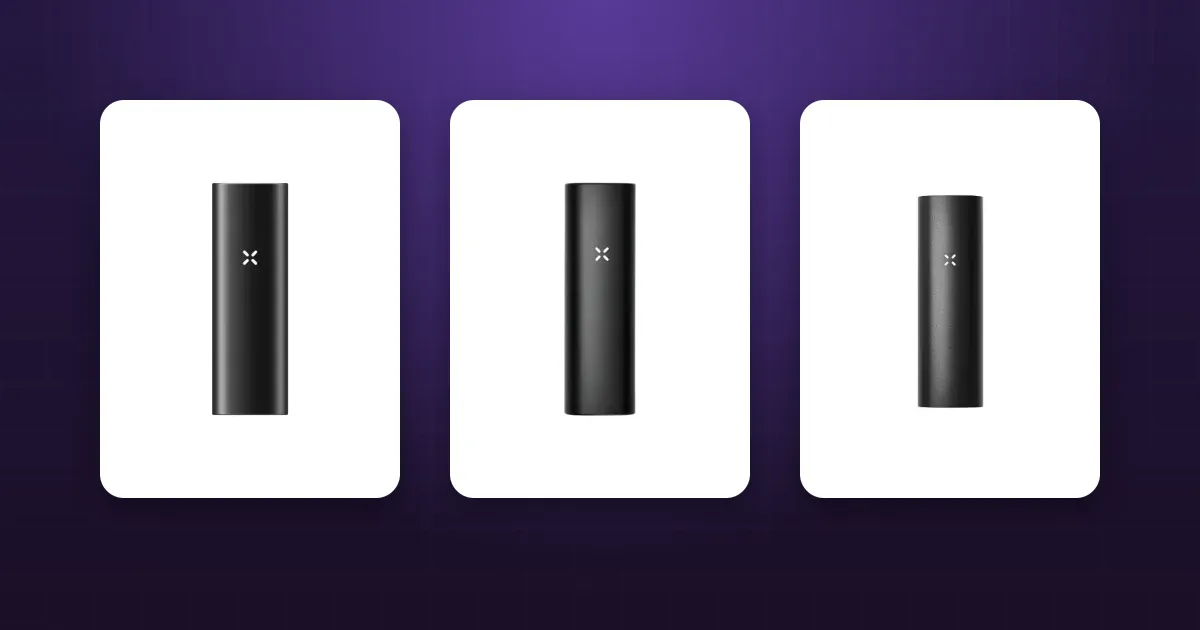
The PAX 2, PAX 3, Plus and Mini have a classic conduction oven under a magnetic lid. The Flow (side door) and Four (lift-off lid) use hybrid heaters that add moving hot air. Our PAX lineup compares them as devices.
| Model | Oven | Heat settings | Ready in | Charging | Status, October 2026 |
|---|---|---|---|---|---|
| PAX 3 | About 0.5g, or 0.25g with the half-pack lid | Four presets, 360°F to 420°F | About 22 seconds | Magnetic charger | No longer sold by PAX |
| PAX 2 | Same size as the PAX 3 | Four presets, 360°F to 420°F | About 45 seconds | Magnetic charger | No longer sold by PAX |
| PAX Plus | 0.35g to 0.5g, or 0.17g to 0.25g with the half-pack lid | Four Experience Modes | Under 30 seconds | Magnetic charger | Sold out at PAX, still at retailers |
| PAX Mini (2025) | Full or half pack | Four heat modes | About 22 seconds | Magnetic, USB-C plug | Current |
| PAX Mini (original) | Smaller, no half-pack lid | One fixed setting | About 22 seconds | Magnetic | Replaced in October 2025 |
| PAX Flow | Side door, up to about 0.4g | Four modes plus Bong Mode | About 45 seconds | USB-C, under 40 minutes | Current |
| PAX Four | About 0.3g | Four heat modes | 55 to 70 seconds | USB-C | Current |
The 2025 Mini says "PAX Mini 2" above the barcode on its box and has haptics and adjustable modes; the original has neither.
Loading and Packing a PAX Oven
PAX 3, PAX Plus and PAX Mini
Press one side of the magnetic lid to pop it off. PAX's guides ask for a fine to medium-fine grind and a firm pack: "pack tightly" for the Plus, "firmly pack" for the Mini. A conduction oven heats what touches its walls, so fill it to the brim and tamp with the multi-tool. Our guide to packing a dry herb vaporizer explains why loose packs give thin vapor.
When we reviewed the PAX 3, the herb in the middle of a full oven heated less than the edges, so plan on a mid-session stir with the multi-tool. For smaller sessions, swap in the half-pack lid, a deeper lid that takes up the unused space; PAX rates it at 0.17g to 0.25g. It ships with the 2025 Mini and in the PAX 3 and Plus Complete Kits.
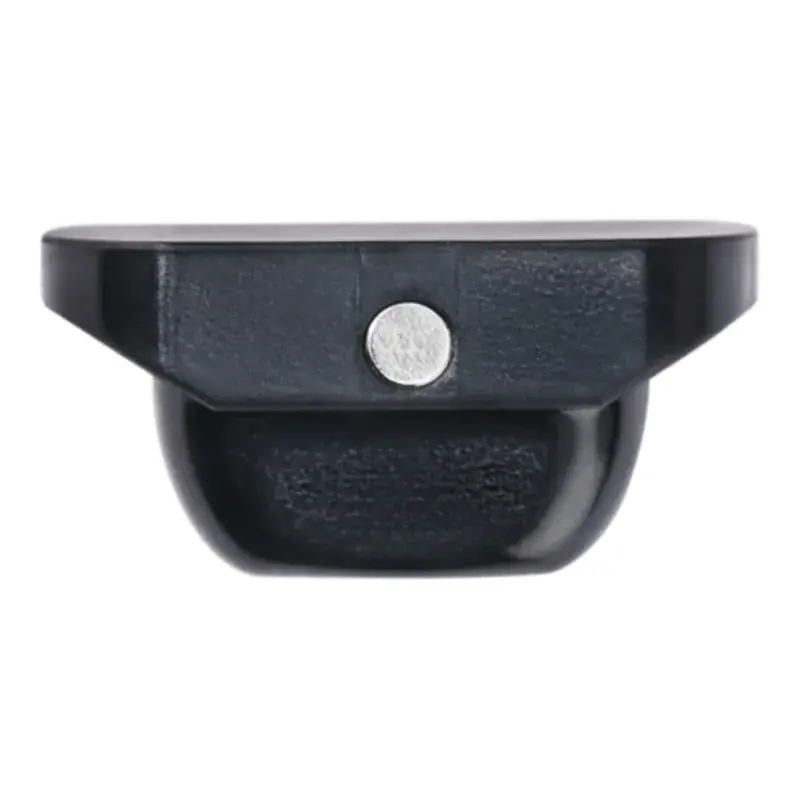
Turns a PAX 3, Plus, 2025 Mini or PAX 2 into a quarter-gram solo device. Not for the Flow, Four or original Mini.
Check price at PAXOther options
The Puck Press makes the pack repeatable: fill it to the half or full line, press, clip it onto the oven opening, and push the tamped puck straight in.
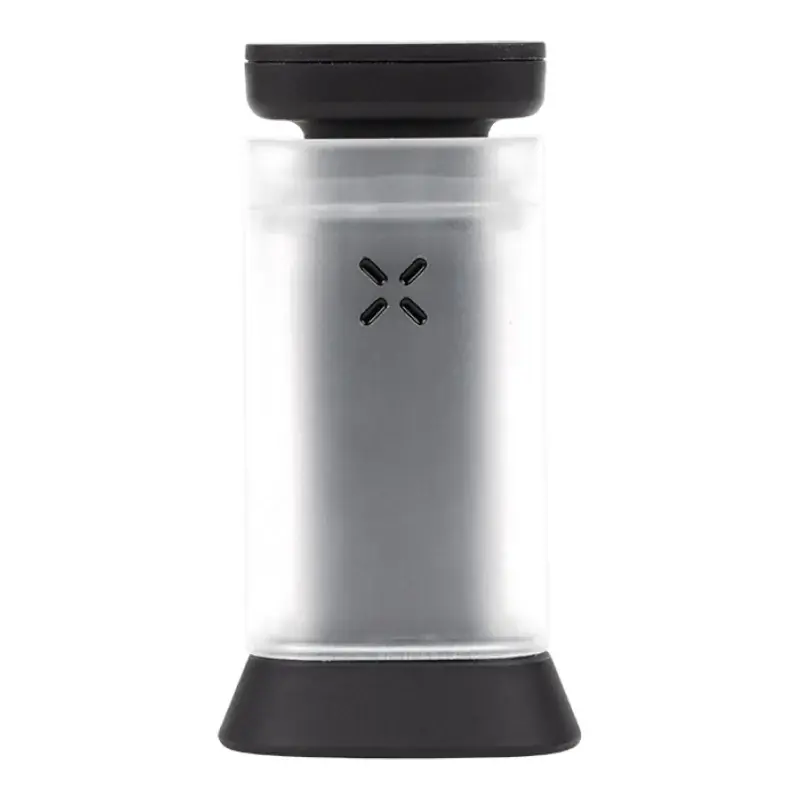
Presses a full or half puck shaped for the classic oven. PAX 2, PAX 3, Plus and Mini only.
Check price at DankStopOther options
PAX Flow
Press the circle on the oven door to open it. PAX's Flow guide asks for a medium to fine grind and a gentle pack, so air can move through the load. There is no half-pack lid or Puck Press for it.
PAX Four
Lift one of the side tabs to remove the oven lid. The Four quick start guide says to grind medium-fine and pack with the multi-tool until the herb is level with the top of the oven: "medium density works best (not too loose or tight)."
How to Turn On a PAX and Change the Heat Setting
On the PAX 2, PAX 3 and Plus, PAX's instructions match: a short press turns it on, a long press until the petals go solid opens the settings, short presses cycle, and a long press or a shake confirms.
On the 2025 Mini, Flow and Four, hold the button about two seconds to turn it on; pink petals mean heating. Quick presses step through four modes, and waiting three seconds or a shake sets one. Cycling the Flow through all four twice reaches the multi-color Bong Mode. The original Mini has no settings.
| Petals | PAX 2 and PAX 3 | PAX Plus | PAX Flow | 2025 Mini and Four |
|---|---|---|---|---|
| 1 | Green, 360°F (180°C) | Stealth, purple, 360°F | Purple, 180°C (356°F) | Purple, minimal vapor |
| 2 | Yellow, 380°F (193°C) | Efficiency, teal, 380°F | Green, 190°C (374°F) | Green, conserves herb |
| 3 | Orange, 400°F (204°C) | Flavor, yellow, 400°F | Yellow, 205°C (401°F) | Yellow, flavor |
| 4 | Red, 420°F (215°C) | Boost, red, 420°F | Orange, 215°C (419°F) | Orange, densest vapor |
| Extra | Bong Mode, 225°C (437°F) |
Sources: PAX's PAX 3 guide, its temperature article and Experience Modes page for the Plus, and the Flow product page. PAX publishes no degrees for the 2025 Mini or the Four. Start a first session on the second or third setting and move up when the vapor thins.
Taking a Draw and Reading the Lights
Wait for green. PAX's lip sensing raises the oven temperature when the mouthpiece meets your lips and eases off between draws (the Flow's Bong Mode exists to switch it off), so draw with the device at your mouth. PAX's advice for the classic models is "sip it, don't rip it." On the PAX 3, 30 seconds without a draw means standby, and three minutes of inactivity turns it off.
| Light | Meaning |
|---|---|
| Purple pulsing (PAX 3) or pink pulsing (Plus, Mini, Flow, Four) | Heating |
| Green | Ready |
| All four petals blue (PAX 3) | Standby; pick it up |
| White petals after a shake | Battery, 25 percent per petal |
| Red and orange alternating four times, then off (2025 Mini, Flow, Four) | Too hot; let it cool before restarting |
Anything else is covered in our guide to vaporizer blinking lights and error codes.
The PAX 3 App: What Happened and What Still Works
The PAX app is gone. By May 2026, PAX's app page announced that the app had reached the end of its life and would be removed after that month. Its help center now says "There are no longer any PAX Labs, Inc. Apps available for use," and the web app address redirects to pax.com. That covers the Android app, the Chrome web app, and the Connect Browser route iPhone owners used after Apple pulled vaping apps in 2019.
Gone with it is everything the PAX 3 could only do through a phone: single-degree temperature control, the five dynamic modes (Standard, Boost, Efficiency, Flavor and Stealth), LED color themes, the device lock, firmware updates and the find-my-device map. What stays is everything that runs on the device: the four presets, lip sensing, standby, haptics and the battery check. Our 2022 review already listed the app's removal from Apple's store as a drawback; now Android and web users are in the same position.
No current model needs an app: the Plus built the dynamic modes into its Experience Modes, and the Mini, Flow and Four are button-only.
Note: None of the current quick start guides describes a lock, so keep a PAX where children cannot reach it.
Charging a PAX
The PAX 2, PAX 3, Plus and Mini charge on magnetic pins on the base. PAX rates a PAX 3 at about 90 minutes to full and 8 to 10 sessions per charge, and our review recommends charging it standing upright so residue does not creep toward the mouthpiece. The Flow and Four have USB-C ports: PAX says the Flow reaches 100 percent in under 40 minutes, and the Four gives up to five sessions or 50 minutes per charge. Our PAX accessories guide covers docks and chargers.
Using Concentrates in a PAX 3 or PAX Plus
Only these two take the PAX Concentrate Insert, a small lidded cup that goes in place of the herb. Per the Plus quick start guide, remove the oven screen, place the material inside the circle in the insert, close its lid, and push it into the oven. Use the hottest setting (four red petals or Boost) and keep the dose to PAX's 10 to 20 milligrams. The Mini, Flow and Four are flower only. Our guide to vaping concentrates in a dry herb vaporizer explains the trade-offs.
How to Clean a PAX 3, PAX Plus or PAX Mini
PAX says to clean every three to five sessions.
- Let it cool. PAX's Mini guide says ten minutes; its Plus guide says at least fifteen.
- Empty the oven. Pop off the lid and clear the spent herb with the multi-tool or wire brush.
- Lift the mouthpiece. Work the multi-tool or a fingernail under its edge.
- Clear the vapor path. Dip the wire brush in 90 percent isopropyl, push it down the vapor path from the top to pop the screen out of the oven, then work it back and forth.
- Soak the small parts. The screen and the silicone mouthpieces can soak in isopropyl; PAX's newer guides give the screen 15 minutes.
- Wipe, never soak, the lids. Clean the oven, the standard lid and the half-pack lid with an alcohol swab. PAX says the lids never go in liquid.
- Dry, then reassemble. Every part must be completely dry first.
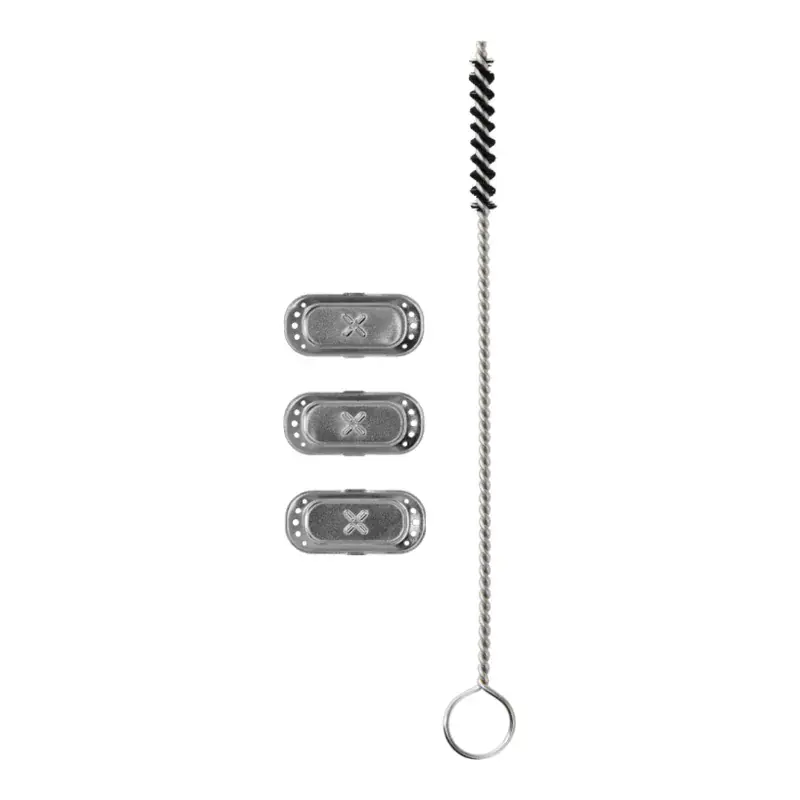
Three 3D oven screens and a wire brush for the PAX 2, PAX 3, Plus, Mini and Four. Screens are the part that wears out.
Check price at PAXOther options
Cleaning a PAX Flow or PAX Four
Both guides ask for ten minutes of cooling. On the Flow, lift the door off, empty the oven, and press the round end of the screen with the multi-tool to eject it. Soak the screen in isopropyl for 15 minutes and swab the airpath and door. On the Four, lift off the lid and mouthpiece, push the alcohol-dipped wire brush down the vapor path from the top to eject the screen, wipe the oven and lid, and soak the screen for 15 minutes. Our guide to cleaning a dry herb vaporizer covers the general routine.
Warning: Only screens and mouthpieces go in liquid. The body, oven lids and Flow door get a swab at most, and PAX's guides say the oven can reach 230°C (446°F), so never open it while the device is on.
PAX Troubleshooting
| Problem | Likely cause | Fix |
|---|---|---|
| Tight draw, thin vapor | Clogged screen or vapor path | Clean it; replace a screen that stays dark after soaking |
| Vapor fades halfway (PAX 3, Plus, Mini) | Loose pack, or the center of the load under-heated | Stir, pack firmer, or use the half-pack lid for small loads |
| Red and orange flashing, then off | High temperature protection | Let it cool (PAX says 30 minutes for the Four), then use a lower mode or shorter sessions |
| No lights on the charger | Dirty pins or a weak power source | Wipe the contacts, use a 1.5A source |
| Behaving oddly | Settings glitch | Factory reset: with it on, hold the button seven seconds until five white blinks (2025 Mini, Flow, Four); the PAX 3 and Plus use a rotation reset |
Frequently Asked Questions
Is there still a PAX 3 app?
No. PAX ended the app after May 2026, and its help center now says no PAX Labs apps are available. A PAX 3 keeps its four presets, lip sensing and battery check because those run on the device, but degree-level control, dynamic modes, color themes and the lock are gone.
How do I change the temperature on a PAX 3?
Turn it on with a short press, then hold the button until the petals go solid. Short presses cycle through one green (360°F), two yellow (380°F), three orange (400°F) and four red (420°F) petals; a long press or a shake confirms.
How do I use a PAX Mini?
Pop off the lid, firmly pack medium-fine flower, and turn it on (a two-second hold on the 2025 Mini). The petals turn green in about 22 seconds. On the 2025 Mini, quick presses change the heat mode and a shake or a three-second wait sets it; the original Mini has one fixed setting.
How do I use a PAX Plus?
Pack the oven tightly, press and release the mouthpiece to turn it on, then hold it for about two seconds to choose an Experience Mode. Quick presses cycle through Stealth, Efficiency, Flavor and Boost, and a long press or a shake sets one. It buzzes and shows the mode's color when ready.
About the author
Practical context from the editor behind this guide.