Price (USD)
XMAX OONT edgeFENiX Pro
$135
XMAX OONT
$50
XMAX OONT is typically around $85 lower.
Vaporizer Comparison
Side-by-side specs, pricing context, and clear decision guidance.
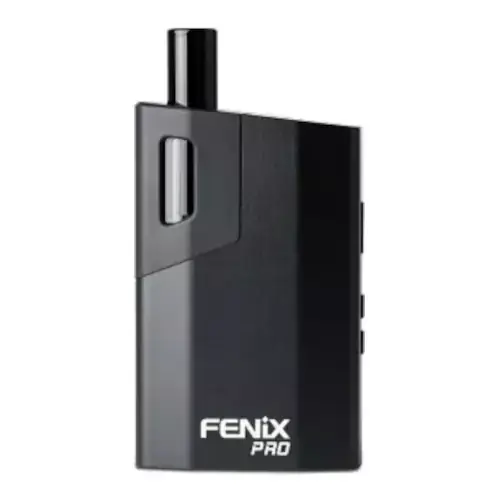
FENiX Pro
FENiX $135
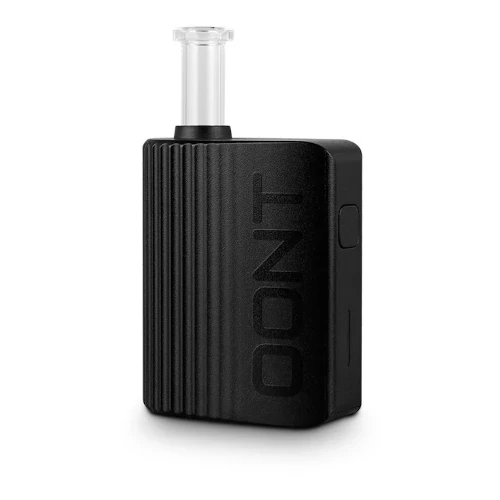
XMAX OONT
XMAX $50
FENiX Pro and XMAX OONT are both portable / electronic vaporizers, but they target different priorities. XMAX OONT is usually the lower-cost pick at $50, around $85 below FENiX Pro. Heat-up speed is broadly similar between the two.
Specs Compared
22
Different Specs
17
Shared Specs
5
Overall Overlap
23%
Shared Traits
A quick snapshot of the specs people usually care about first.
FENiX Pro
$135
XMAX OONT
$50
XMAX OONT is typically around $85 lower.
FENiX Pro
~25 seconds
XMAX OONT
~20 seconds
Both devices are in a similar heat-up range.
FENiX Pro
Convection
XMAX OONT
Conduction
Heating style differs, which can impact flavor and extraction behavior.
Top specs where these two devices diverge.
Price (USD)
FENiX Pro
$135
XMAX OONT
$50
Heating Type
FENiX Pro
Convection
XMAX OONT
Conduction
Heat Up Time
FENiX Pro
~25 seconds
XMAX OONT
~20 seconds
Temperature Range
FENiX Pro
160°C - 221°C (320°F - 430°F)
XMAX OONT
180℃-220℃ (356℉-428℉)
Battery Type
FENiX Pro
Internal
XMAX OONT
Internal 18500
Battery Capacity
FENiX Pro
2300 mAh
XMAX OONT
1500mAh
Charging
FENiX Pro
Micro-USB
XMAX OONT
USB-C
Dimensions
FENiX Pro
5.2x2.5x8.4cm
XMAX OONT
51.14 x 27.40 x 74.5mm
Power Adjustment
FENiX Pro
Digital (precise)
XMAX OONT
5 Preset Modes
Chamber Material
FENiX Pro
Stainless Steel
XMAX OONT
Ceramic
Typical price
$135
No stores listed yet
Typical price
$50
No stores listed yet
Direct comparison of every spec from each device profile.
| Specification | FENiX Pro | XMAX OONT |
|---|---|---|
| Price (USD) | $135 | $50 |
| Device Type | Portable | Portable |
| Heating Type | Convection | Conduction |
| Heat Up Time | ~25 seconds | ~20 seconds |
| Temperature Range | 160°C - 221°C (320°F - 430°F) | 180℃-220℃ (356℉-428℉) |
| Chamber Capacity | 0.2 - 0.3 grams | — |
| Battery Type | Internal | Internal 18500 |
| Battery Capacity | 2300 mAh | 1500mAh |
| Battery Life | — | 12+ sessions |
| Charging | Micro-USB | USB-C |
| Charge Time | 2 hours | ~2 hours |
| Dimensions | 5.2x2.5x8.4cm | 51.14 x 27.40 x 74.5mm |
| Power Adjustment | Digital (precise) | 5 Preset Modes |
| Chamber Material | Stainless Steel | Ceramic |
| Brand | FENiX | XMAX |
| Country of Manufacture | China | China |
| Display Type | OLED | — |
| Manufacturer | South Reed Technology Co | TopGreen Technology Co |
| Release Date | — | 2023 |
| Replaceable Battery | — | No |
| Session Style | Session | Session |
| Warranty | 1 year | 1 year |
The biggest practical difference is heating approach: FENiX Pro runs convection while XMAX OONT runs conduction. That changes flavor delivery, vapor density, and how the device responds to slow versus fast draws.
XMAX OONT is the cheaper option at $50 compared with $135 for the FENiX Pro, about $85 less. Live retailer pricing can shift, so confirm before buying.
XMAX OONT reaches session-ready temperature in ~20 seconds, while the FENiX Pro takes ~25 seconds. That's roughly 5 seconds quicker on the XMAX OONT, which is useful if you want shorter, on-demand sessions.
FENiX Pro uses convection heating, while the XMAX OONT uses conduction. Heating style influences flavor profile, vapor density, and how forgiving the device is to draw technique.
FENiX Pro controls heat with digital (precise), while the XMAX OONT uses 5 preset modes. FENiX Pro gives you finer per-degree control.
XMAX OONT is the better pick if low-profile use matters. It's tagged as stealth or pocket-friendly in our database, while the FENiX Pro is more conspicuous in hand and harder to keep out of sight.
XMAX OONT charges over USB-C; the FENiX Pro uses a Micro-USB port. USB-C means one fewer cable to keep around if your phone and laptop already use it.
Jump into the comparison hub to pick any two devices and open a canonical side-by-side page.