Price (USD)
Close callArizer Extreme Q
$160
Healthy Rips Rogue
$160
Pricing is very close between both devices.
Vaporizer Comparison
Side-by-side specs, pricing context, and clear decision guidance.
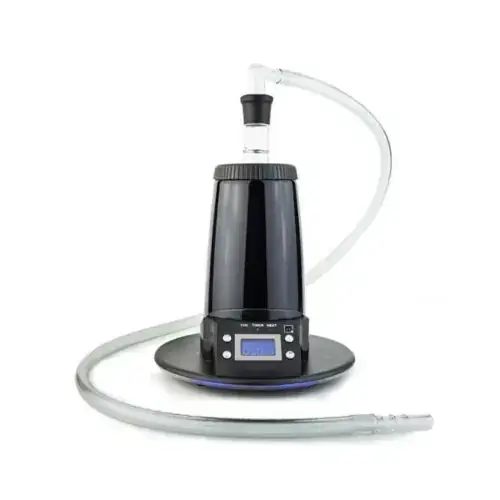
Arizer Extreme Q
Arizer from $199.99
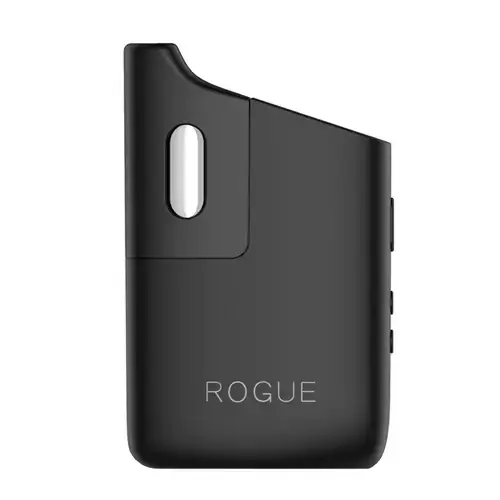
Healthy Rips Rogue
Healthy Rips $160
Arizer Extreme Q and Healthy Rips Rogue are both convection / electronic vaporizers, but they target different priorities. Their listed prices are close ($160 vs $160). Healthy Rips Rogue has the quicker listed heat-up profile, which can matter for shorter sessions.
Specs Compared
27
Different Specs
25
Shared Specs
2
Overall Overlap
7%
Shared Traits
A quick snapshot of the specs people usually care about first.
Arizer Extreme Q
$160
Healthy Rips Rogue
$160
Pricing is very close between both devices.
Arizer Extreme Q
~100 seconds
Healthy Rips Rogue
~25 seconds
Healthy Rips Rogue has the quicker listed heat-up profile.
Arizer Extreme Q
442g
Healthy Rips Rogue
190g / 6.7oz
Healthy Rips Rogue is the lighter listed unit.
Arizer Extreme Q
Convection
Healthy Rips Rogue
Convection
Both devices use a similar heating approach.
Top specs where these two devices diverge.
Device Type
Arizer Extreme Q
Desktop
Healthy Rips Rogue
Portable
Heat Up Time
Arizer Extreme Q
~100 seconds
Healthy Rips Rogue
~25 seconds
Temperature Range
Arizer Extreme Q
50°C-260°C
Healthy Rips Rogue
138°-221°C (280 - 430F)
Chamber Capacity
Arizer Extreme Q
~0.7g
Healthy Rips Rogue
Up to 0.225g
Battery Type
Arizer Extreme Q
N/A
Healthy Rips Rogue
Internal non-replaceable battery (3000mAh)
Charging
Arizer Extreme Q
N/A
Healthy Rips Rogue
USB-C
Dimensions
Arizer Extreme Q
165x165x170mm
Healthy Rips Rogue
92.5x57.8x30.1mm
Weight
Arizer Extreme Q
442g
Healthy Rips Rogue
190g / 6.7oz
Power Adjustment
Arizer Extreme Q
Digital Control
Healthy Rips Rogue
Digital (precise)
Chamber Material
Arizer Extreme Q
Glass
Healthy Rips Rogue
Stainless steel
Current price
$199.99
at Slick Vapes
Typical price
$160
No stores listed yet
Prices are read automatically from retailer pages and were last checked Oct 2, 2026; confirm the price at checkout. Some links are affiliate links, which support Thermal Extractions at no extra cost to you.
Direct comparison of every spec from each device profile.
| Specification | Arizer Extreme Q | Healthy Rips Rogue |
|---|---|---|
| Price (USD) | $160 | $160 |
| Device Type | Desktop | Portable |
| Heating Type | Convection | Convection |
| Heat Up Time | ~100 seconds | ~25 seconds |
| Temperature Range | 50°C-260°C | 138°-221°C (280 - 430F) |
| Chamber Capacity | ~0.7g | Up to 0.225g |
| Battery Type | N/A | Internal non-replaceable battery (3000mAh) |
| Battery Capacity | — | 3000mAh |
| Battery Life | — | ~85-100 minutes |
| Charging | N/A | USB-C |
| Charge Time | — | <90 minutes |
| Dimensions | 165x165x170mm | 92.5x57.8x30.1mm |
| Width | — | 57.8mm |
| Height | — | 92.5mm |
| Weight | 442g | 190g / 6.7oz |
| Power Adjustment | Digital Control | Digital (precise) |
| Chamber Material | Glass | Stainless steel |
| Brand | Arizer | Healthy Rips |
| Adjustable Airflow | Yes | No |
| Body Material | — | Kirksite Alloy Unibody |
| Country of Manufacture | China | — |
| Haptic Feedback | — | Yes |
| Heating Element | Ceramic | — |
| Release Date | 2010 | 2021 |
| Remote Control | Yes | — |
| Thickness | — | 30.1mm |
| Warranty | 3 years | 1 year |
The biggest practical difference is form factor: these aren't the same kind of device. Arizer Extreme Q is a desktop, Healthy Rips Rogue is a portable. Pick based on whether you want something portable or something stationary.
Healthy Rips Rogue reaches session-ready temperature in ~25 seconds, while the Arizer Extreme Q takes ~100 seconds. That's roughly 75 seconds quicker on the Healthy Rips Rogue, which is useful if you want shorter, on-demand sessions.
Arizer Extreme Q has the larger chamber at ~0.7g, versus Up to 0.225g on the Healthy Rips Rogue. A bigger bowl means fewer reloads on long sessions; a smaller one suits microdosing and quicker bowls.
Healthy Rips Rogue is the lighter unit at 190g / 6.7oz, around 252g less than the Arizer Extreme Q at 442g. The lighter device is easier to carry and pocket day-to-day.
Healthy Rips Rogue is the take-anywhere choice. It's a portable, battery-powered unit, while the Arizer Extreme Q is built for home use, where bigger heaters, AC power, and larger chambers make sense.
Listed prices are close: $160 for the Arizer Extreme Q versus $160 for the Healthy Rips Rogue. Day-to-day price will likely come down to whichever retailer is running a promotion.
Arizer Extreme Q covers 50°C-260°C, a wider band than the Healthy Rips Rogue at 138°-221°C (280 - 430F). A wider range gives you more room to dial in flavor at the low end and big clouds at the top.
Jump into the comparison hub to pick any two devices and open a canonical side-by-side page.