Price (USD)
XMAX Riggo edgeArizer Extreme Q
$160
XMAX Riggo
$59
XMAX Riggo is typically around $101 lower.
Vaporizer Comparison
Side-by-side specs, pricing context, and clear decision guidance.
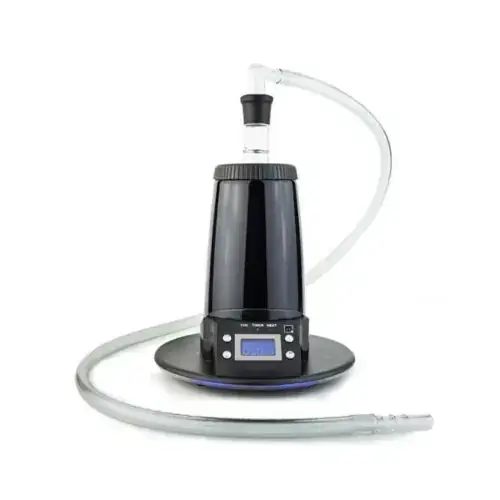
Arizer Extreme Q
Arizer from $199.99
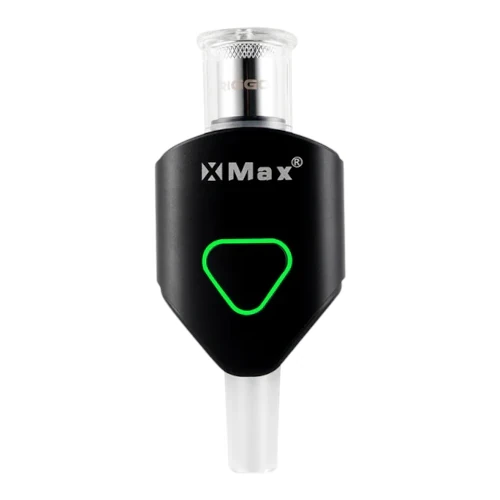
XMAX Riggo
XMAX from $58.95
Arizer Extreme Q and XMAX Riggo are both electronic vaporizers, but they target different priorities. XMAX Riggo is usually the lower-cost pick at $59, around $101 below Arizer Extreme Q. XMAX Riggo has the quicker listed heat-up profile, which can matter for shorter sessions.
Specs Compared
23
Different Specs
22
Shared Specs
1
Overall Overlap
4%
Shared Traits
A quick snapshot of the specs people usually care about first.
Arizer Extreme Q
$160
XMAX Riggo
$59
XMAX Riggo is typically around $101 lower.
Arizer Extreme Q
~100 seconds
XMAX Riggo
~15 seconds
XMAX Riggo has the quicker listed heat-up profile.
Arizer Extreme Q
Convection
XMAX Riggo
Conduction
Heating style differs, which can impact flavor and extraction behavior.
Top specs where these two devices diverge.
Price (USD)
Arizer Extreme Q
$160
XMAX Riggo
$59
Device Type
Arizer Extreme Q
Desktop
XMAX Riggo
Portable
Heating Type
Arizer Extreme Q
Convection
XMAX Riggo
Conduction
Heat Up Time
Arizer Extreme Q
~100 seconds
XMAX Riggo
~15 seconds
Temperature Range
Arizer Extreme Q
50°C-260°C
XMAX Riggo
260°C - 380°C (500°F - 716°F)
Chamber Capacity
Arizer Extreme Q
~0.7g
XMAX Riggo
N/A
Battery Type
Arizer Extreme Q
N/A
XMAX Riggo
Internal
Charging
Arizer Extreme Q
N/A
XMAX Riggo
USB-C
Power Adjustment
Arizer Extreme Q
Digital Control
XMAX Riggo
Modular - 5 Stages
Chamber Material
Arizer Extreme Q
Glass
XMAX Riggo
Quartz
Current price
$199.99
at Slick Vapes
Lowest price
$58.95
at VPM
Prices are read automatically from retailer pages and were last checked Oct 2, 2026; confirm the price at checkout. Some links are affiliate links, which support Thermal Extractions at no extra cost to you.
Direct comparison of every spec from each device profile.
| Specification | Arizer Extreme Q | XMAX Riggo |
|---|---|---|
| Price (USD) | $160 | $59 |
| Device Type | Desktop | Portable |
| Heating Type | Convection | Conduction |
| Heat Up Time | ~100 seconds | ~15 seconds |
| Temperature Range | 50°C-260°C | 260°C - 380°C (500°F - 716°F) |
| Chamber Capacity | ~0.7g | N/A |
| Battery Type | N/A | Internal |
| Battery Capacity | — | 1000mAh |
| Charging | N/A | USB-C |
| Dimensions | 165x165x170mm | — |
| Weight | 442g | — |
| Power Adjustment | Digital Control | Modular - 5 Stages |
| Chamber Material | Glass | Quartz |
| Concentrate Support | — | Yes |
| Brand | Arizer | XMAX |
| Adjustable Airflow | Yes | — |
| Country of Manufacture | China | China |
| Heating Element | Ceramic | — |
| Manufacturer | — | TopGreen Technology Co |
| Release Date | 2010 | — |
| Remote Control | Yes | — |
| Session Style | — | Both |
| Warranty | 3 years | 6 months |
The biggest practical difference is price tier: the XMAX Riggo sits at $59 while the Arizer Extreme Q is $160, a gap of about $101 that puts them in different buying brackets.
XMAX Riggo is the cheaper option at $59 compared with $160 for the Arizer Extreme Q, about $101 less. Live retailer pricing can shift, so confirm before buying.
XMAX Riggo reaches session-ready temperature in ~15 seconds, while the Arizer Extreme Q takes ~100 seconds. That's roughly 85 seconds quicker on the XMAX Riggo, which is useful if you want shorter, on-demand sessions.
Arizer Extreme Q uses convection heating, while the XMAX Riggo uses conduction. Heating style influences flavor profile, vapor density, and how forgiving the device is to draw technique.
XMAX Riggo is the take-anywhere choice. It's a portable, battery-powered unit, while the Arizer Extreme Q is built for home use, where bigger heaters, AC power, and larger chambers make sense.
Arizer Extreme Q controls heat with digital control, while the XMAX Riggo uses modular - 5 stages. Arizer Extreme Q gives you finer per-degree control.
Arizer Extreme Q lists a chamber capacity of ~0.7g; the XMAX Riggo lists N/A.
Jump into the comparison hub to pick any two devices and open a canonical side-by-side page.